The Idea
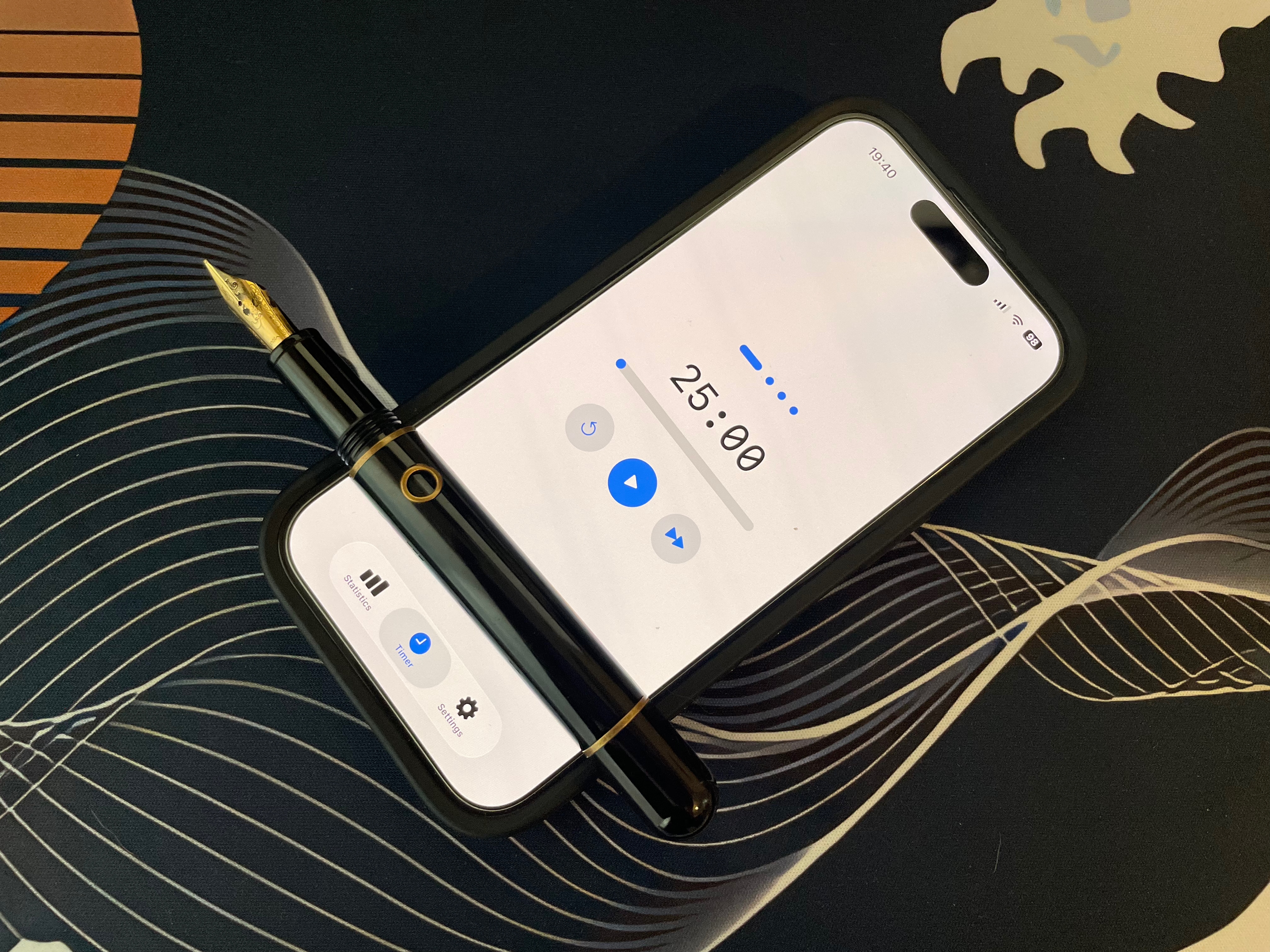
Pomodoro timers are everywhere. A quick search returns dozens of them, each one trying to outdo the last with streak graphs, productivity scores, project tags, and subscription paywalls. Most of the time, all you want to do is sit down and work for 25 minutes without thinking about the app.
This app started as a personal frustration: every timer I tried required too much setup or got in the way of what it was supposed to help with. The premise for this version was simple — what's the minimum the app needs to do to be genuinely useful? A countdown, a break, and nothing you didn't ask for.
What We Built
A SwiftUI app built for iOS 18 with three tabs: a timer, settings, and statistics. The timer tab is the whole point — a large countdown, a visual progress display, and three buttons. Tap to start or pause. Tap reset once to restart the current phase; tap it again to reset the entire session. A skip button fast-forwards to the next phase when you need to move on early.
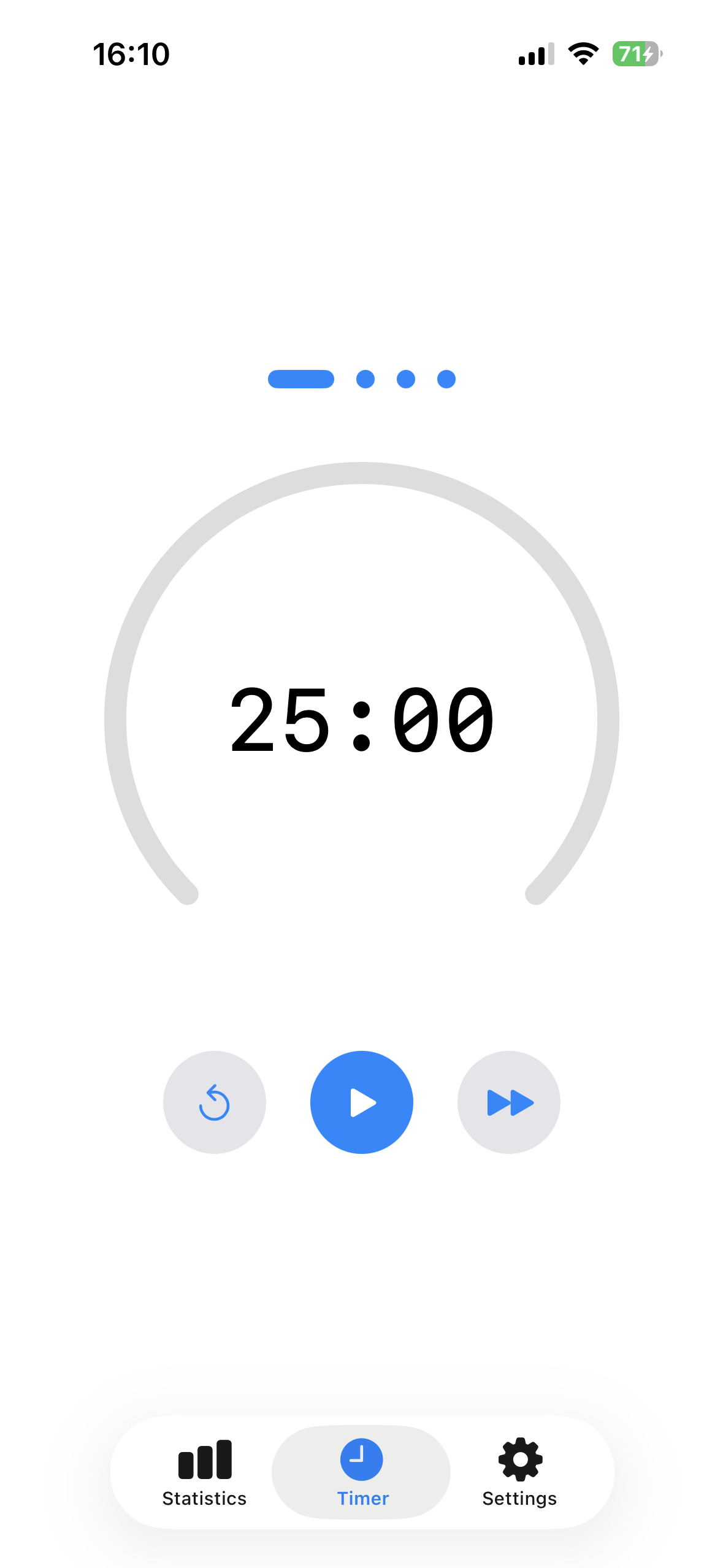
The timer display is swappable between three styles — a 270° arc gauge, a full circular ring that fills counter-clockwise from 12 o'clock, and a horizontal progress bar — chosen in settings based on personal preference. Above the timer, a row of dots tracks your position across the cycle: green for completed sessions, blue for upcoming ones, with the current cycle shown as a live progress bar.
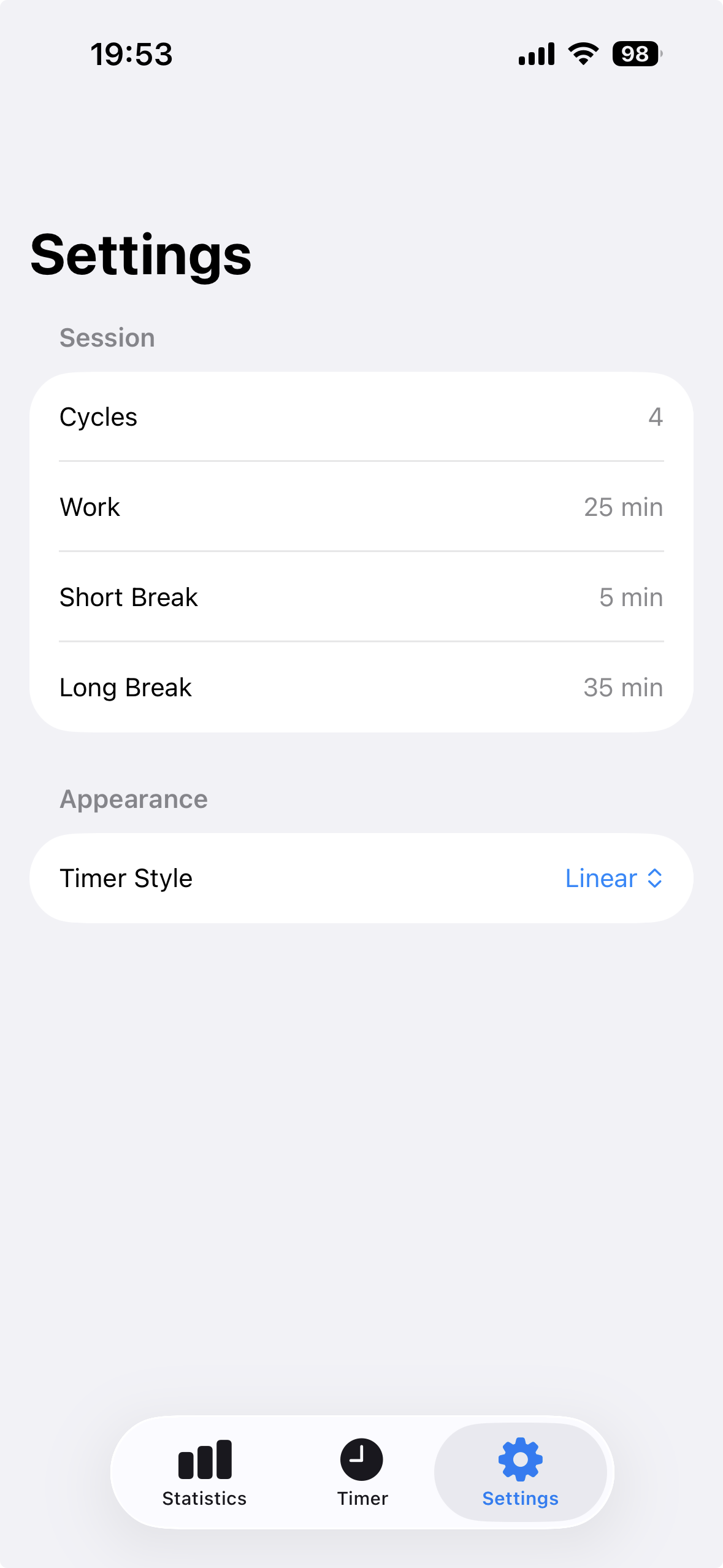
Everything is configurable: number of cycles (1–8), work duration (1–60 min), short break (1–30 min), and long break (1–60 min). The final cycle of each session automatically uses the long break. Settings use inline wheel pickers throughout for a consistent feel. If the timer is running, settings lock — a small reset button in the settings tab unlocks them without losing your current configuration.
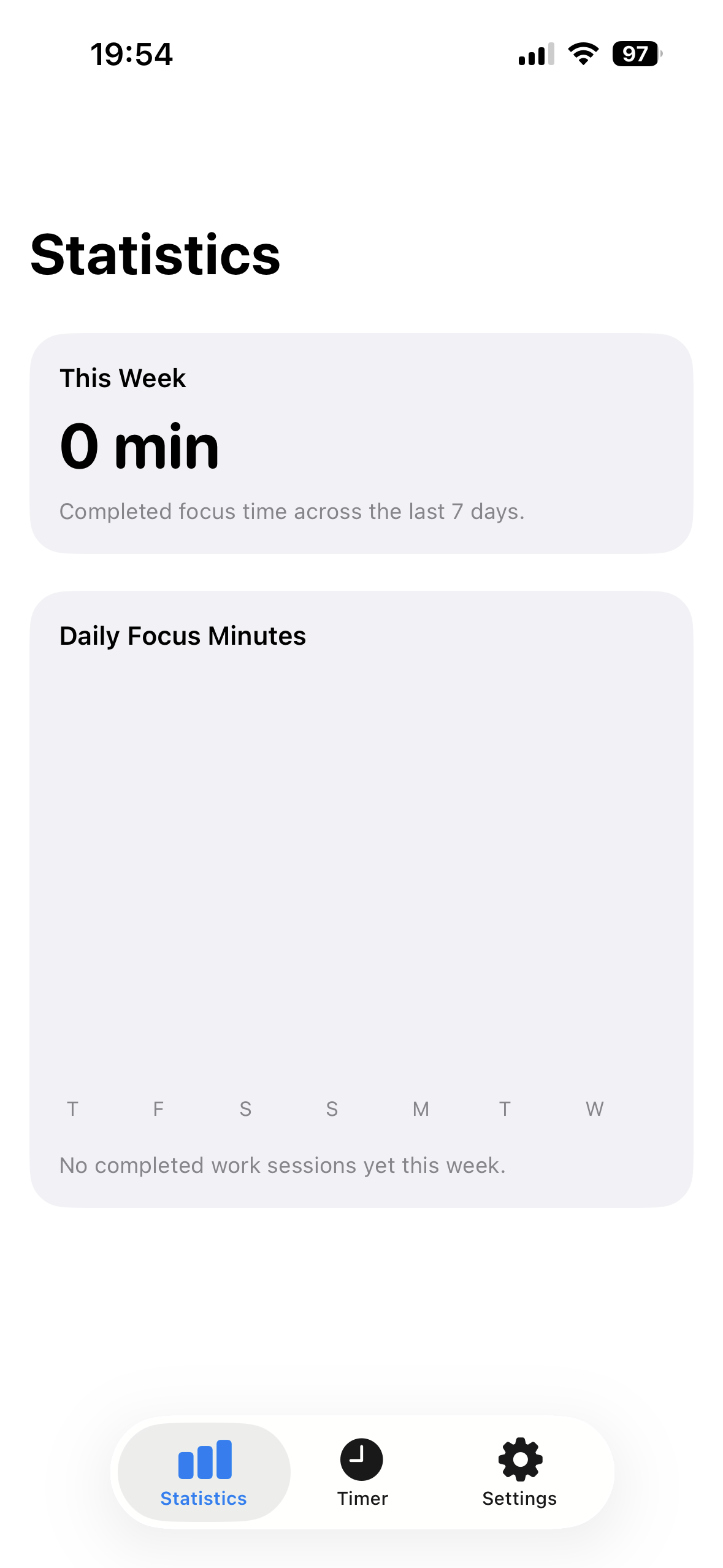
The screen stays awake while the timer is running and returns to normal idle behaviour when paused, finished, or backgrounded. Completed focus minutes are counted per day and shown as a weekly bar chart on the statistics tab — enough feedback to see your patterns without turning the app into a productivity dashboard. All settings and statistics persist across launches via UserDefaults. No account required.
Pricing & Source
The app costs £1.99 on the App Store. That price exists purely to cover the costs associated with developing and publishing an iOS app — Apple's developer programme, the time spent getting the build through review, and keeping things running. There's no subscription, no upsell, and no free tier held hostage behind a paywall.
The full source code is available on GitLab under the AGPL-3.0 licence. You're welcome to read it, learn from it, run it yourself, or build on top of it — as long as you keep any derivative work open under the same terms.
How It Went
Shipped. Pomodoro by SheepiesLab is live on the App Store as of April 2026. The app passed review on the first submission — a small win we're happy about. If you try it and have feedback, we'd love to hear from you at benng@sheepieslab.com.