The Idea
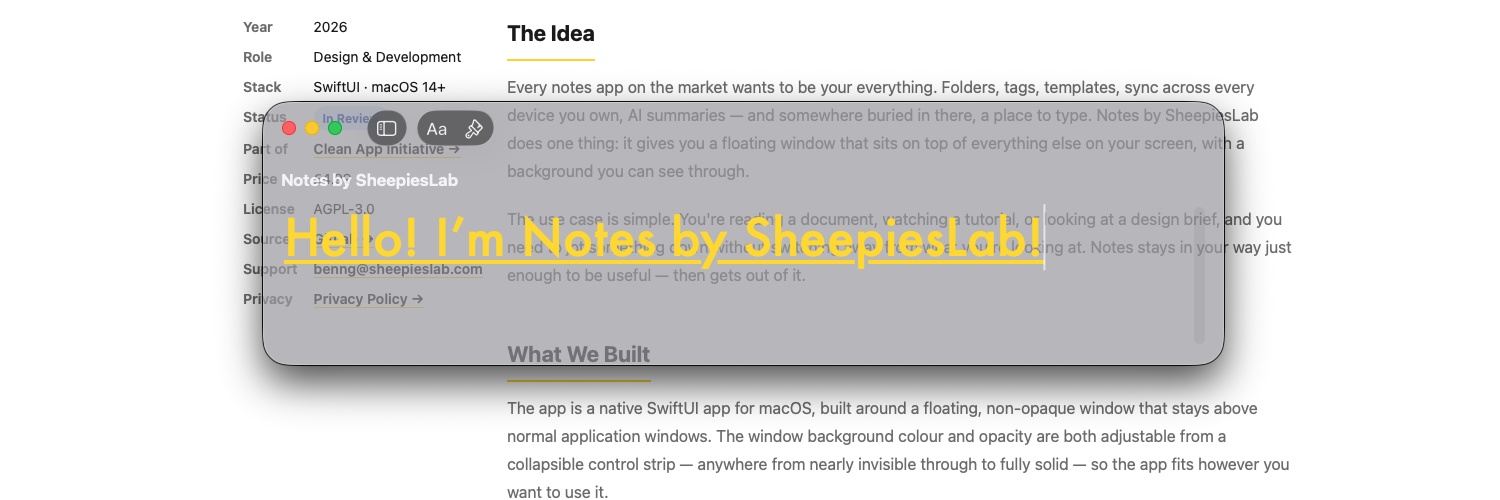
Every notes app on the market wants to be your everything. Folders, tags, templates, sync across every device you own, AI summaries — and somewhere buried in there, a place to type. Notes by SheepiesLab does one thing: it gives you a floating window that sits on top of everything else on your screen, with a background you can see through.
The use case is simple. You're reading a document, watching a tutorial, or looking at a design brief, and you need to jot something down without switching away from what you're looking at. Notes stays in your way just enough to be useful — then gets out of it.
What We Built
The app is a native SwiftUI app for macOS, built around a floating, non-opaque window that stays above normal application windows. The window background colour and opacity are both adjustable from a collapsible control strip — anywhere from nearly invisible through to fully solid — so the app fits however you want to use it.
Notes are organised in a sidebar with explicit add and remove controls. The editor supports rich text: font family and size, bold, italic, underline, strikethrough, and colour. Formatting controls live in their own collapsible strip beneath the toolbar, there when you need them and out of the way when you don't.
Everything is stored locally using SwiftData. There is no sign-in, no cloud sync, and no network connection of any kind.
Pricing & Source
Notes by SheepiesLab is a one-time purchase of £4.99 on the Mac App Store. No subscription, no trial, no upsell.
The full source code is available on GitLab under the AGPL-3.0 licence. If you're curious how the floating window and transparency are implemented, or want to adapt the approach for your own project, you're welcome to have a look.
Where It Is
The app has been submitted to the Mac App Store and is currently waiting for Apple's review. Once it's approved I'll update this page with a download link.
In the meantime, if you have questions or want to get in touch, reach out at benng@sheepieslab.com.